
IPTV Devices Ireland — Best Boxes, Sticks and Smart TVs
You almost certainly do not need to buy anything. If your TV runs apps, or you already own a streaming stick, that is the whole setup. This guide is for the people who are buying anyway — and it includes the devices we would tell you to walk past.
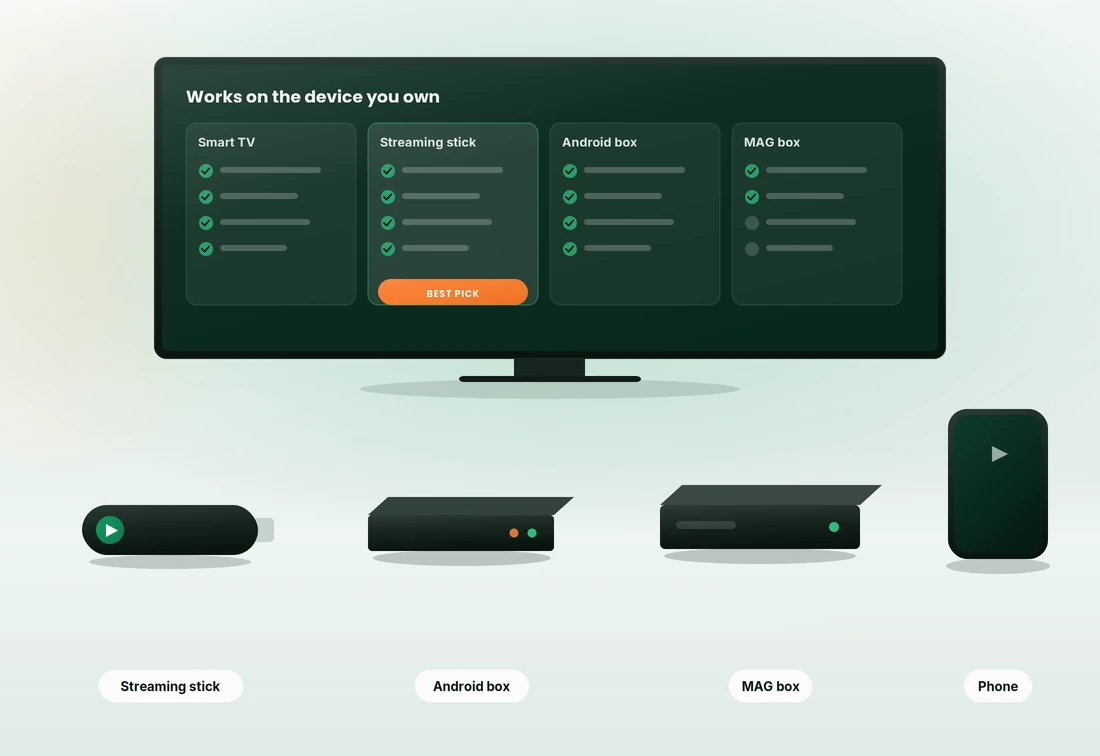
Which device should you actually buy?
Every device below runs an IPTV subscription. They do not all run one well. This is the honest ranking, including the category that causes most of the buffering complaints we see.
Streaming sticks
The cheapest sensible route into IPTV, and what most Irish households end up using. Plug it into a spare HDMI port and it does the job for years.
Fire TV Stick (4K and 4K Max)
The device we support most and the one we would buy ourselves. It handles 4K HEVC comfortably, installs player apps without fuss, and the remote is good enough that people who are not technical stop asking for help after week one.
The 4K Max adds a faster processor and Wi-Fi 6. Worth the difference if it is small, unnecessary if it is not — the standard 4K stick is already enough for live sport.
Google TV and Chromecast devices
A strong alternative if you prefer the Google interface or already live in that ecosystem. 4K models decode HEVC properly and the Play Store carries every player app you would want.
Setup is marginally fiddlier than a Fire TV Stick, mostly around sideloading if your chosen player is not in the store. Our support team handles both daily, so pick whichever you find cheaper.
Android IPTV boxes
More capable than a stick and better for heavy users — but this is also the category where cheap hardware ruins people's experience and gets blamed on the service.
What specification actually matters
Box listings are full of numbers designed to look impressive. Only four of them affect whether a 4K sports feed plays cleanly.
- RAM: 2 GB minimum, 4 GB comfortable. 1 GB boxes stutter the moment the EPG loads alongside a stream.
- A named chipset. If the listing will not tell you which processor it uses, that is the answer.
- Dual-band Wi-Fi with 5 GHz, or better still an ethernet port. Single-band 2.4 GHz boxes will buffer on live sport.
- Certified Android TV, not "Android". Certified devices get updates and run player apps properly.
4K Android box buying checklist
Six checks before you pay. If a listing fails two or more, keep scrolling.

Smart TVs — the device you already own
If your television was bought in the last five years, you very likely need nothing else. The player installs from the TV's own app store and the login is the same three details as everywhere else.
- Try the TV first. If it performs, you have spent nothing.
- If the app feels slow, add a stick. A €45 stick outperforms a five-year-old TV processor.
- Wire the TV if you can reach it. Most sets have an ethernet port people never use.
Set-top boxes, Apple devices and desktop
Three smaller categories that suit particular households. None of them is a wrong answer — they are just narrower fits than a stick or a Smart TV.
Set-top boxes (MAG-style)
Portal-based boxes that load a channel list directly, with no app store and no home screen full of other services. We send a portal URL instead of a playlist and configure it with you.
The appeal is simplicity — it switches on and shows television, which suits older users or a second room. The limitation is the same thing: no catch-up apps and no flexibility if you later want something else.
Apple TV, iPhone and iPad
Apple TV 4K gives the smoothest experience of any device here and by some distance the best remote. Players come from the App Store, so there is nothing to sideload and nothing to troubleshoot.
iPhone and iPad work the same way and are useful as a second screen on match days. The only real drawback is price — hard to justify for IPTV alone, excellent if you wanted one regardless.
Windows PC, Mac and laptops
The fastest way to test a free trial. Install a desktop player that reads an M3U playlist, paste in three details, and you are watching inside five minutes without touching the television.
Fine as a permanent second screen, awkward as your main one unless the machine already sits near the TV or you are happy running an HDMI cable across the room.
Still not sure? Ask before you buy
Tell us what is already in the house and we will tell you honestly whether you need to buy anything. Most of the time the answer is no, which is a strange sales pitch but a true one.
If you do need something, we will point you at the cheapest device that will actually do the job rather than the most expensive one that would.
Device questions
What Irish customers ask before buying hardware. If yours is not here, message us before you spend anything.
No, and we do not sell hardware at all. We supply the subscription only. Every device on this page is bought from ordinary retailers, and most people already own something that works. If a provider insists you buy their box, ask yourself why.
A Fire TV Stick 4K, usually €40 to €70 and frequently discounted. Below that price point you are into the no-name Android box territory that causes most of the buffering complaints we handle. Forty euro spent well beats twenty-five euro spent badly.
Install it on as many devices as you own — the TV, a tablet, a phone, the box in the spare room. The limit is on how many stream at the same moment. A single-device plan means one screen at a time; a two-device plan means two.
Almost certainly not. A €45 streaming stick will outperform the processor in a five-year-old television and gives you a modern app store at the same time. Buying a whole new TV to fix a slow app is an expensive solution to a cheap problem.
Because the claim refers to a file format the box can technically recognise, not to real-time decoding at that resolution. Cheap boxes list impressive numbers the chipset cannot deliver. Check RAM and the named processor instead — those two tell you the truth.
Wi-Fi is fine on the 5 GHz band with a clear line to the router. Ethernet is better and worth doing on the main TV if the cable run is realistic. The combination that causes trouble is 2.4 GHz plus a device tucked behind a metal-backed cabinet.
Once you have picked a device
Install the right player, follow the setup steps, and know the fixes before you need them.
Test it on what you already own
Take the free trial on your existing TV, stick or laptop first. If it performs, you have bought nothing. If it does not, we will tell you exactly which device fixes it — and it is rarely the expensive one.